Trackspacer alternatives: sidechain ducking that cuts only what clashes
Where Trackspacer falls short and what to use instead: free sidechain ducking, dynamic EQs keyed by hand, group unmasking, and setups that keep parts full.
By CrystalKarat8 min read
Trackspacer is one of the most useful one-knob plugins there is: put it on the pad, send it the vocal, and the pad steps back whenever the vocal sings. It is also blunt in a specific way, and once you hear it, you start looking for something else. Here is what Trackspacer does, where it falls short, and the alternatives that fix each shortcoming, starting with free ones.
Quick picks
- 01SoapCrystalKaratTrackspacer’s job, free, cutting only where the two parts really clashFree
- 02TDR NovaTokyo Dawn LabsA free, exact duck at the one frequency that mattersFree
- 03Pro-Q 4FabFilterSidechained dynamic EQ with the precision of a first-class equaliserMid-price
- 04smart:EQ 4sonibleUnmasking several tracks at once, not one against oneMid-price
- 05soothe3oeksoundThe most transparent ducking, for exposed partsPremium
How Trackspacer works
Wavesfactory Trackspacer is a 32-band equaliser driven by its sidechain. It measures the key signal’s spectrum in each band and applies the opposite curve to the track it sits on: where the vocal is loud, the pad is cut, by up to the Amount you set. Its advanced panel adds attack and release, a choice of stereo, mid or side, low- and high-cut filters on the sidechain, and Freeze to hold the current cut. It is quick because it decides almost everything for you.
Where it falls short
- It cuts the sidechain’s shape, not the overlap. If the vocal is loud at 3 kHz and the pad has nothing there, the pad is cut at 3 kHz anyway. At high Amount the ducked track thins out in places it was never in the way.
- It hears frequency, not position. A wide pad and a centred vocal at the same frequency mask each other far less than two centred parts do, but Trackspacer cuts them the same, unless you set it to mid by hand.
- It is one against one. In a dense mix you need an instance, and a send, for every pair.
- You can hear it. Fast settings on sustained parts sound like a filter moving. Slower settings hide that, and duck late.
None of that makes it a bad tool. It makes it a tool for the quick, broad duck, and the alternatives below for when you need more care. For the wider field of unmasking tools, including clash detectors and group balancers, see our guide to the best unmasking plugins.
The best Trackspacer alternatives
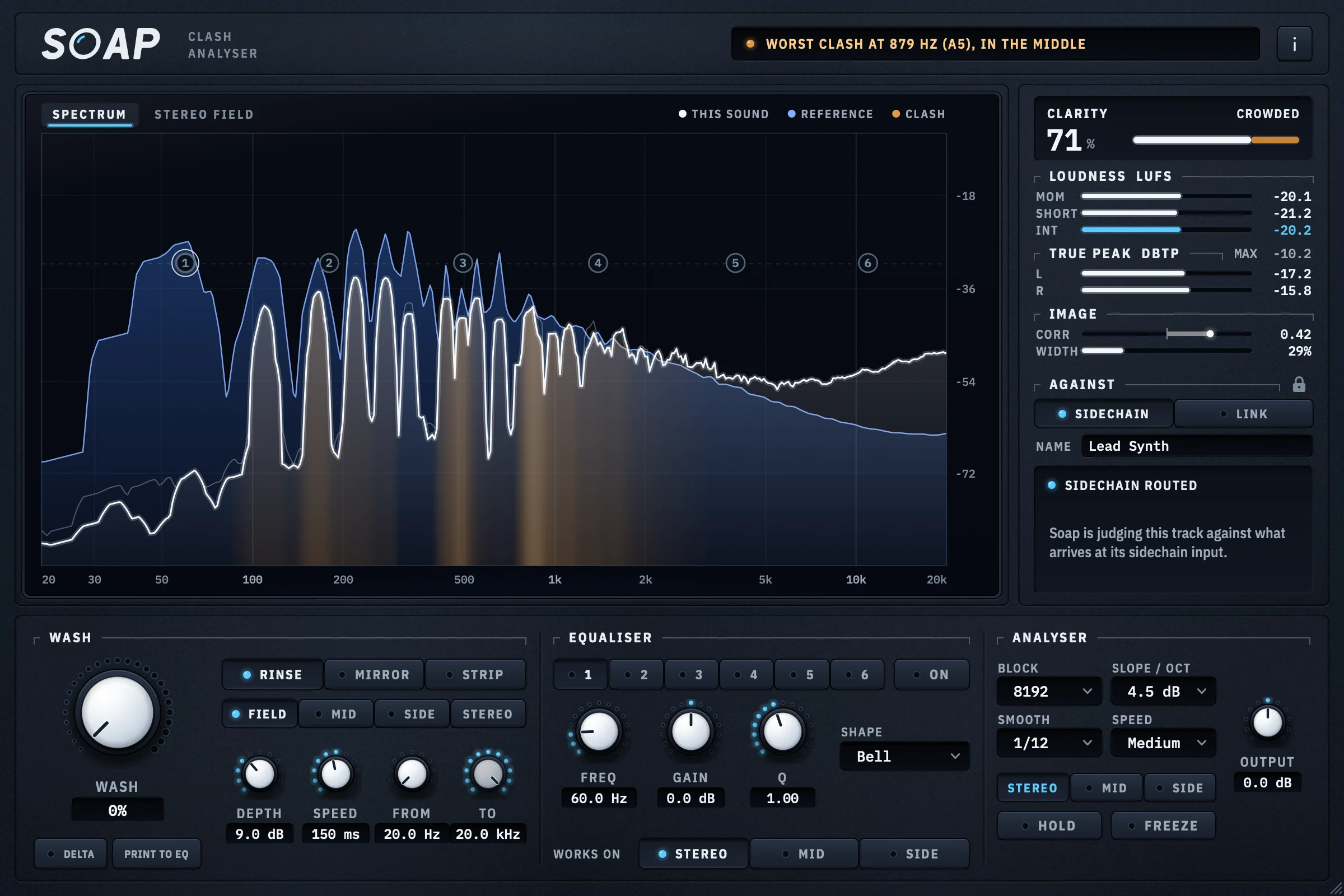
01Soapby CrystalKarat
Muddiness removerBest for: Trackspacer’s job, free, cutting only where the two parts really clash
Soap does what Trackspacer does, and then the thing Trackspacer can’t. Its Wash in Mirror mode is the familiar trick: it reads the sidechain and cuts its shape out of the track Soap sits on, as the music plays. Switch to Rinse and it cuts only where this track and the sidechain both have energy, in proportion to how badly they clash, so a pad keeps the frequencies the vocal never uses.
It also hears where things are in the stereo image. Its display puts every frequency’s width beside its level and marks a clash only where two parts share a frequency and a position, so a wide pad behind a centred vocal shows little, which is what you hear. The Wash runs 30 bands on the middle and 30 on the sides, so it can clear the centre of a pad for the vocal and leave its width alone. Delta plays what is being removed, with no added latency.
Why pick it
- Mirror for Trackspacer’s behaviour, Rinse to cut only the overlap
- Judges clashes by stereo position as well as frequency
- Separate middle and sides, 30 bands each
- Free, with Delta and zero latency
Know first
- Free, it needs the other part routed to its sidechain, as Trackspacer does
- No AAX, so not in Pro Tools yet
- Hearing other tracks without routing needs Link, part of Studio Pass, and only covers CrystalKarat plugins
- Price
- Free, with a CrystalKarat account · Link with Studio Pass
- Formats
- Windows VST3 · macOS VST3 and AU
Soap is ours: CrystalKarat makes it and publishes this blog. Everything else on this list is another company's, and nobody paid to be on it.
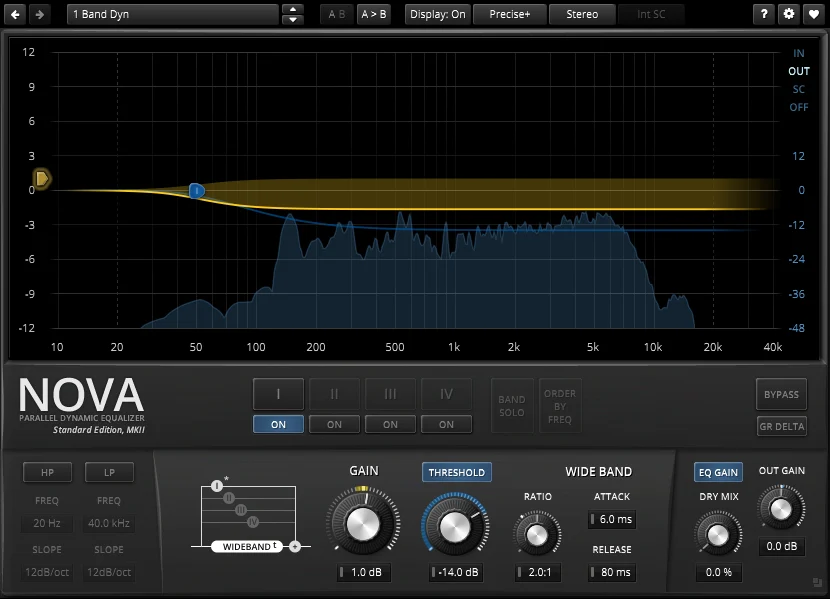
TDR Nova. Image: Tokyo Dawn Labs 02TDR Novaby Tokyo Dawn Labs
Parallel dynamic equaliserBest for: A free, exact duck at the one frequency that matters
Most of the time, a vocal and a guitar fight over one or two ranges, not 32. Nova lets you duck exactly those: set a band on the clash, switch its sidechain to the external input, key it from the vocal, and set threshold and ratio so it cuts a few decibels only while the vocal sings. It takes longer than Trackspacer’s one knob, and you choose every frequency, but nothing else is touched.
Why pick it
- Free
- Cuts only where you tell it
- Attack, release and ratio per band
Know first
- You find the frequencies yourself
- Four bands
Free · The paid Gentleman's Edition adds more
Tokyo Dawn Labs's page for TDR Nova (opens in a new tab)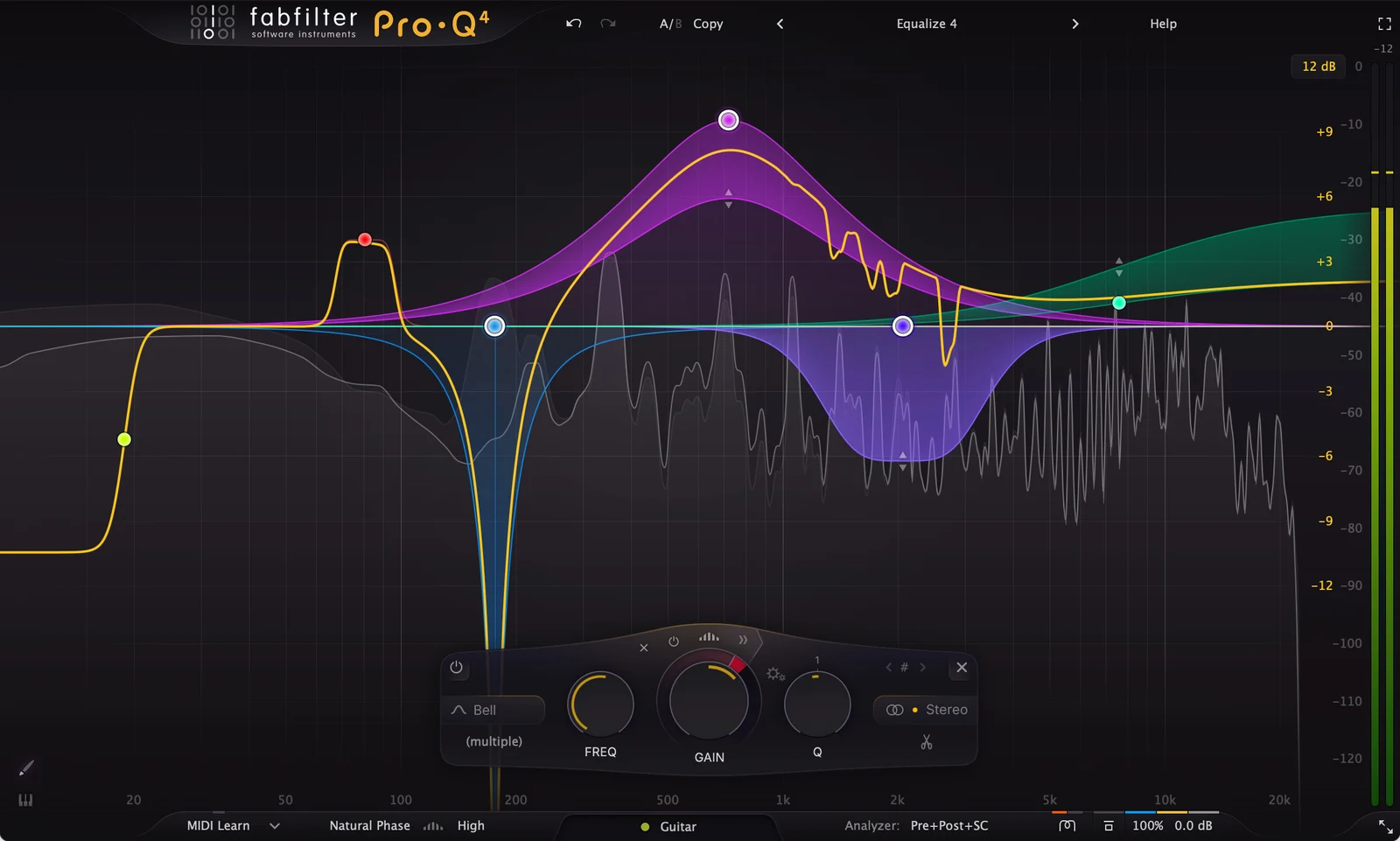
Pro-Q 4. Image: FabFilter 03Pro-Q 4by FabFilter
Equaliser with collision detectionBest for: Sidechained dynamic EQ with the precision of a first-class equaliser
Pro-Q 4 does the same job as Nova with more of everything: any number of dynamic bands, each able to follow an external sidechain, and a spectral dynamics mode for finer, faster reduction. Its instance list shows where tracks running Pro-Q 4 collide, so finding the clash is quicker. If you already own it, try it before buying a ducker.
Why pick it
- Precise and fast
- Collision display across instances
- Spectral dynamics
Know first
- Nothing is automatic
- Collision detection needs Pro-Q 4 on each track
Mid-price · Also sold in FabFilter's bundles
FabFilter's page for Pro-Q 4 (opens in a new tab)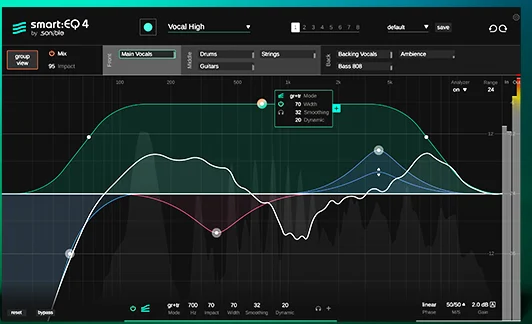
smart:EQ 4. Image: sonible 04smart:EQ 4by sonible
Assisted EQ with group unmaskingBest for: Unmasking several tracks at once, not one against one
Trackspacer works on pairs: one track, one sidechain. smart:EQ 4 works on groups. Rank up to ten tracks into front, middle and back, and each instance reduces its masking of the tracks above it. For a dense arrangement where everything is fighting the vocal and each other, it does in one pass what would take several Trackspacers.
Why pick it
- Priorities across up to ten tracks
- A capable dynamic, mid/side EQ in its own right
Know first
- Instances must be able to talk, which some sandboxed hosts block
- Heavier on CPU
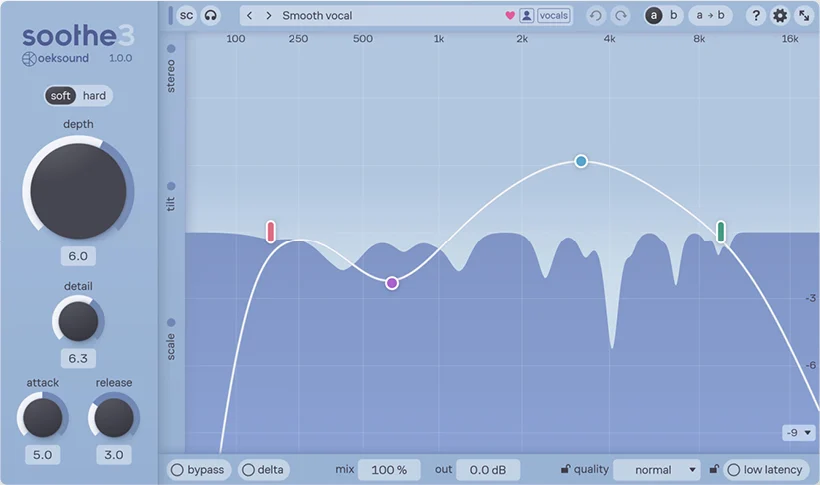
soothe3. Image: oeksound 05soothe3by oeksound
Dynamic resonance suppressorBest for: The most transparent ducking, for exposed parts
soothe3 is a resonance suppressor, but fed a sidechain in its hard mode it becomes a very smooth ducker: it attenuates whatever in the track matches the key, with the fine resolution soothe is known for. Where Trackspacer can sound like a filter moving, soothe3 is hard to hear working, which suits acoustic music and exposed vocals.
Why pick it
- Very smooth, fine-grained reduction
- Also tames harshness on its own
Know first
- Premium price
- Sidechain ducking is a use of hard mode, not its main purpose
Premium · Cheaper as an upgrade from soothe2
oeksound's page for soothe3 (opens in a new tab)
Free, and already in your DAW
- Your DAW’s multiband compressor or dynamic EQ. Nearly all accept a sidechain. One band, keyed from the vocal, on the two or three clashes that matter, is a free Trackspacer with more precision.
- iZotope Neutron’s Unmask module, if you already own it: it cuts a track dynamically where it masks its sidechain.
- Baby Audio Smooth Operator Pro has a sidechain mode that rebalances one track against another’s spectrum, and Waves Curves Equator can learn its curve from a sidechain. Both are resonance suppressors first, at a lower price than soothe3.
Setting up any of them
- Put it on the part that should give way, never the one that should win: the pad, the guitars, the reverb return.
- High-pass the key. A vocal’s low end and plosives make any ducker pump the low mids for no reason. Filter the sidechain below 150 to 200 Hz.
- Start with less than you think. 3 to 6 dB of reduction is usually enough to bring a vocal forward. If you need 12, the arrangement or the levels need looking at.
- Set the release to the phrasing. Too fast and the ducked part flutters between words; too slow and it stays down through the gaps.
- Check with the key muted. The ducked track should sound exactly as it did without the plugin.
| Pair | Duck | Key | Where it usually matters |
|---|---|---|---|
| Vocal over guitars or keys | The guitars or keys | The vocal | 1 to 4 kHz, the vocal’s presence |
| Kick and bass | The bass | The kick | 40 to 120 Hz, the fundamentals |
| Vocal and its reverb | The reverb return | The dry vocal | Everywhere, so the tail blooms between phrases |
| Lead synth over pads | The pads | The lead | The lead’s range, often 500 Hz to 3 kHz |
For the kick and bass in detail, see how to mix kick and bass.
Which to choose
- Trackspacer’s behaviour, free: Soap in Mirror.
- Less thinning: Soap in Rinse, or Nova on the exact frequency.
- You own Pro-Q 4: use its sidechained dynamic bands.
- A whole arrangement at once: smart:EQ 4.
- Invisible on exposed parts: soothe3 with a sidechain.
Questions
Is there a free alternative to Trackspacer?
Yes. Soap, free from CrystalKarat, does the same sidechain ducking in its Mirror mode, and its Rinse mode cuts only where the two parts clash. TDR Nova, a free dynamic EQ, ducks one or a few exact frequencies from an external sidechain.
What does Trackspacer actually do?
It is a 32-band equaliser that measures its sidechain's spectrum and applies the opposite curve to the track it is on, so that track is cut wherever the sidechain is loud, as the music plays.
Is Trackspacer the same as sidechain compression?
No. Sidechain compression turns the whole track down when the key plays. Trackspacer and the tools like it turn down only the frequencies the key occupies, so the ducked track keeps its level in the rest of the spectrum.
Can I do what Trackspacer does with stock plugins?
Mostly. Any multiband compressor or dynamic EQ with a sidechain input can duck the one or two ranges where parts clash. It takes longer to set than Trackspacer, but it cuts only where you choose.