The best plugins for frequency masking, and how they differ
Unmasking plugins compared: sidechain duckers, clash detectors and group balancers, judged on what they cut, the stereo image and routing. A free pick too.
By CrystalKarat12 min read
Frequency masking is why a mix of good tracks can still sound like a wall: parts that share a range of frequencies, at the same time and in the same place, hide each other. A new category of plugin finds those clashes and clears them, by showing you where they are, ducking one track from another, or balancing a whole group at once. Here is how the approaches differ, what matters, and the tools that do it best.
Quick picks
- 01SoapCrystalKaratRemoving muddiness: finding the clash in frequency and stereo position, then washing it out, freeFree
- 02TrackspacerWavesfactoryThe fastest sidechain ducking, one knob deepBudget
- 03smart:EQ 4sonibleUnmasking a whole group of tracks by priorityMid-price
- 04Pro-Q 4FabFilterPrecise unmasking by hand, with the whole session in viewMid-price
- 05soothe3oeksoundTransparent de-masking keyed from the sound that should winPremium
- 06TDR NovaTokyo Dawn LabsFree, targeted sidechain EQFree
Three kinds of unmasking plugin
| Kind | What it does | Examples |
|---|---|---|
| Sidechain ducker | Reads one track’s spectrum and cuts it out of another, as the music plays | Trackspacer, Soap’s Mirror mode, a dynamic EQ keyed from the winner |
| Clash detector | Shows where two tracks overlap, and fixes only that, or leaves it to you | Soap, Pro-Q 4’s instance list, Neutron’s masking meter |
| Group balancer | Ranks several tracks and unmasks them against each other automatically | smart:EQ 4 |
None replaces the basic fixes: arrangement, level, panning and a sensible static cut. Our frequency masking guide covers those, and the order worth trying them in.
What separates a good one
Does it cut the overlap, or the whole shape?
A sidechain ducker that applies the inverse of the other track’s spectrum cuts frequencies the two don’t really share, which thins the ducked part for nothing. A tool that only cuts where both tracks have energy takes out less for the same clarity.
Does it know about the stereo image?
Sounds from different directions mask each other much less than sounds from the same one. A tool that can cut the middle of a wide part and leave its sides, or that only counts overlap in the same part of the image, removes less and keeps the width.
How does it hear the other tracks?
By sidechain routing, which works in any DAW with sidechains but sums the reference into one signal; or by instances talking to each other, which needs no routing but only hears tracks running the same plugin, and some hosts sandbox plugins so they cannot talk at all.
Can you hear what it takes out?
A delta or difference mode, playing only what is being removed, is the quickest way to know an automatic tool is taking the right thing. So is level-matched bypass.
Latency
A ducker on a vocal bus or a live input needs to be zero-latency, or at least report its latency correctly. Linear-phase and look-ahead modes cost time.
The best plugins for frequency masking
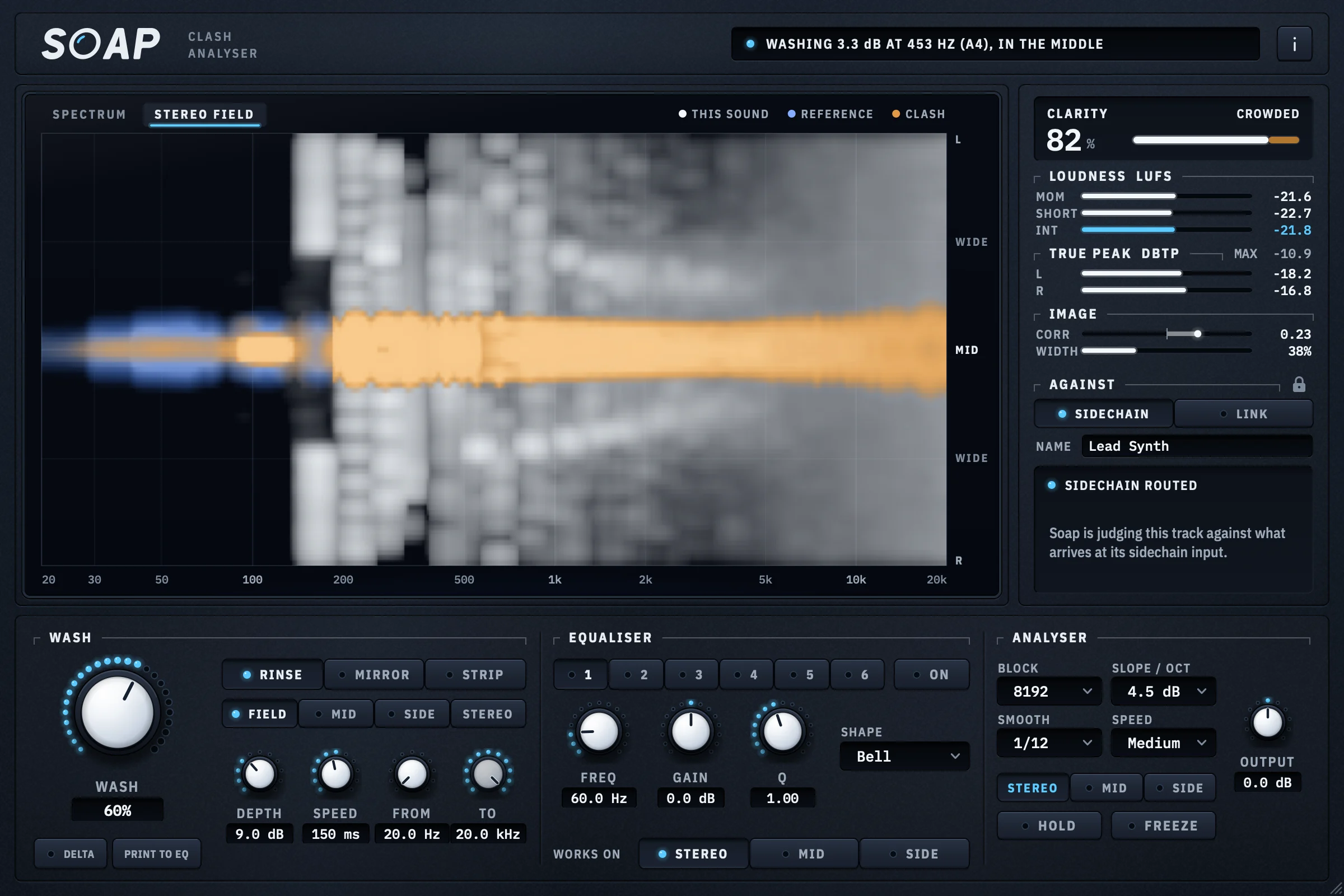
01Soapby CrystalKarat
Muddiness removerBest for: Removing muddiness: finding the clash in frequency and stereo position, then washing it out, free
Most unmasking tools look at one dimension: frequency. Soap looks at two. Its display puts a spectrum and a stereo field on one frequency axis, drawing every frequency as far from the centre line as it is wide, and marks a clash in amber only where this track and the rest of the mix share a frequency and a place in the image. A bass in the middle and a wide pad at the same frequency leave it clean; two sounds in the middle light it up. That is closer to what you hear, because sounds from different directions mask each other far less.
The Wash then takes the clash out with 30 third-octave bells on the middle and 30 on the sides, solved together so a 6 dB cut really is 6 dB, with no latency. Rinse ducks only what clashes, in proportion; Mirror cuts the shape of the rest of the mix out of this track, as a sidechain ducker does; Strip takes this track out altogether where they clash, up to 60 dB. Field mode lets the middle and the sides each answer their own clashes. Delta plays what is being removed, Print to EQ turns it into static bands, and there are R 128 loudness, true-peak and correlation meters beside it.
Free, Soap judges a track against whatever you route to its sidechain. With Link, part of Studio Pass, it hears every other CrystalKarat plugin in the session with nothing routed and lists how much each one clashes with this track, by name.
Why pick it
- The only one here that judges clashes by stereo position as well as frequency
- Rinse, Mirror and Strip, on the mid, the side, or each for its own clashes
- Free, with no key; bit-transparent with the Wash at zero
- Print to EQ, a six-band M/S equaliser, and R 128 and true-peak meters
Know first
- Free, it compares against a sidechain, so the rest of the mix must be routed
- Link only hears CrystalKarat plugins, and needs Studio Pass
- No AAX, so no Pro Tools yet; mono and stereo only
- Price
- Free, with a CrystalKarat account · Link with Studio Pass
- Formats
- Windows VST3 · macOS VST3 and AU
Soap is ours: CrystalKarat makes it and publishes this blog. Everything else on this list is another company's, and nobody paid to be on it.
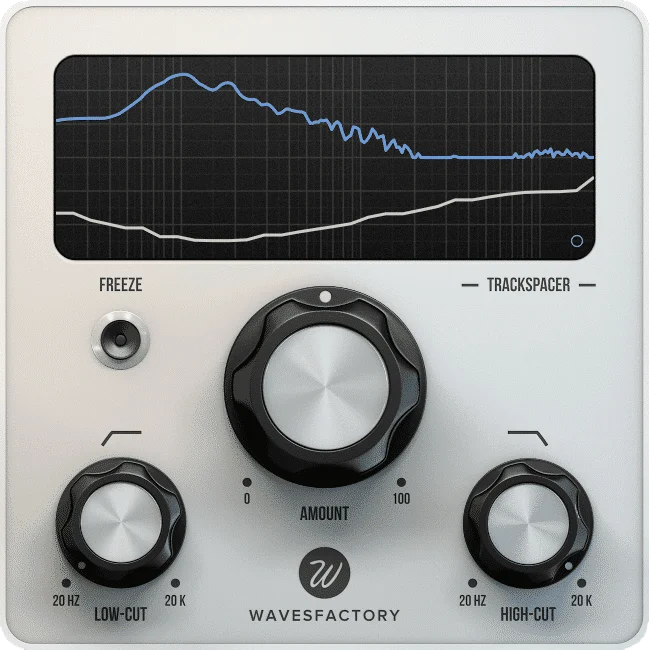
Trackspacer. Image: Wavesfactory 02Trackspacerby Wavesfactory
Sidechain-driven 32-band ducking EQBest for: The fastest sidechain ducking, one knob deep
Trackspacer made spectral ducking popular. It is a 32-band EQ that reads its sidechain and applies the opposite curve to the track it sits on: insert it on the pad, send the vocal to it, turn up Amount, and the pad steps back across the vocal’s spectrum whenever it sings. The advanced panel adds attack and release, a stereo, mid or side target with a blend between them, and low- and high-cut filters on the sidechain, which you will use to stop it reacting to the vocal’s low end. It cuts the sidechain’s shape whether or not the track really overlaps there, so it can thin a part that wasn’t in the way.
Why pick it
- The quickest result of any tool here
- Mid/side targeting and sidechain filters
- Freeze holds the current cut as a static curve
Know first
- Cuts the sidechain’s shape, not only the overlap
- Shows one track against one sidechain
Budget · Often on sale
Wavesfactory's page for Trackspacer (opens in a new tab)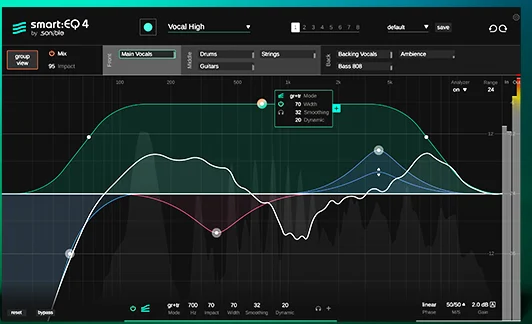
smart:EQ 4. Image: sonible 03smart:EQ 4by sonible
Assisted EQ with group unmaskingBest for: Unmasking a whole group of tracks by priority
smart:EQ 4 learns each track’s spectrum and balances it against a profile, then its Group view does something no other tool here does: drag up to ten tracks into front, middle and back, and every instance reduces its masking of the tracks ranked above it. Any instance in the group can be adjusted from any other. Its standard bands can also be dynamic, and it does mid/side. It is the most automatic approach to a dense mix, which is either the appeal or the worry.
Why pick it
- Priorities across up to ten tracks at once
- Control every instance from any one
- A capable dynamic, mid/side EQ in its own right
Know first
- Instances talk through a shared process, so fully sandboxed DAWs and mixed formats in one group are out
- Heavier on the CPU than a single-track tool
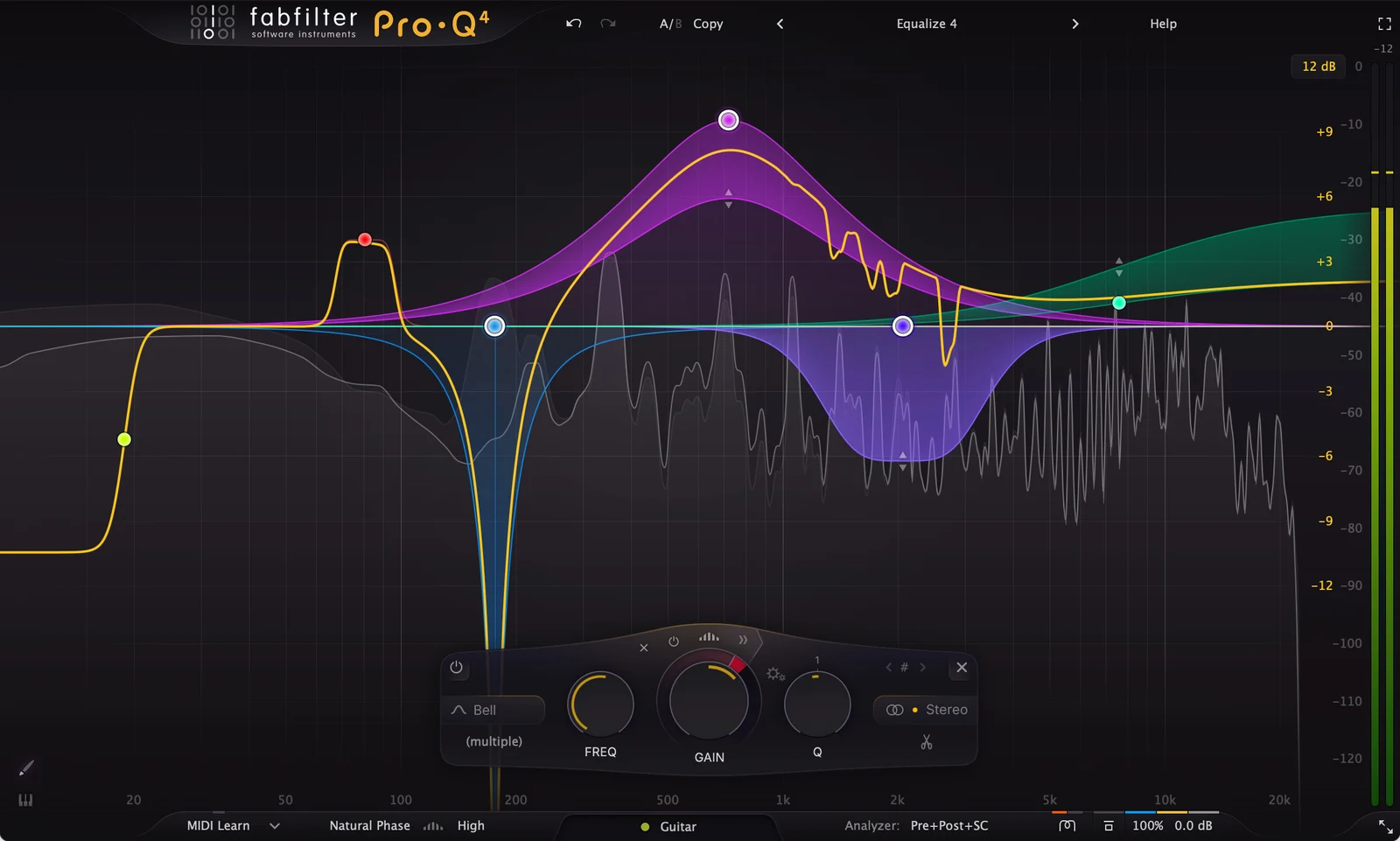
Pro-Q 4. Image: FabFilter 04Pro-Q 4by FabFilter
Equaliser with collision detectionBest for: Precise unmasking by hand, with the whole session in view
Pro-Q 4 is an equaliser first, and the best-loved one there is. What makes it an unmasking tool is the instance list: every Pro-Q 4 in the session, grouped by track, with collisions against the reference track you choose marked in red, and the other tracks’ spectra and bands editable from one window. Dynamic bands can follow an external sidechain, so a cut on the guitars can open only while the vocal sings, and the spectral dynamics mode goes further. It never decides anything for you.
Why pick it
- The precision and speed of a first-class EQ
- Instance list shows collisions across tracks
- Dynamic bands with an external sidechain
Know first
- Collision detection needs Pro-Q 4 on every track involved
- Every cut is yours to place; nothing is automatic
Mid-price · Also sold in FabFilter's bundles
FabFilter's page for Pro-Q 4 (opens in a new tab)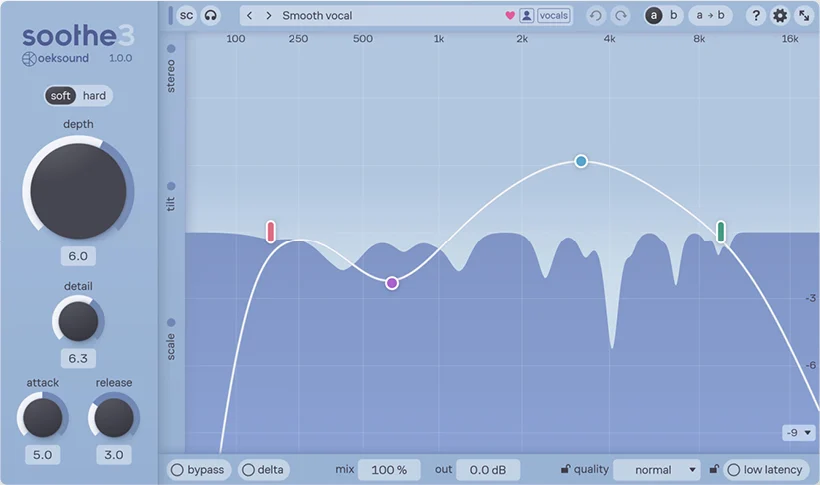
soothe3. Image: oeksound 05soothe3by oeksound
Dynamic resonance suppressorBest for: Transparent de-masking keyed from the sound that should win
soothe3 is a resonance suppressor, released in 2026 to replace soothe2, and its sidechain is one of the most transparent unmasking tricks there is. Key it from the vocal, in hard mode, on a guitar or a synth bus, and it attenuates the frequencies that match the vocal as they happen, with the smoothness that made soothe famous. Without a sidechain it does its usual job of taming harsh resonances, which also clears a crowded mix.
Why pick it
- Very smooth, very fine-grained reduction
- Also its own job: harshness and resonances
- Multichannel, up to 9.1.6
Know first
- The most expensive tool here
- Sidechain de-masking is a trick of hard mode
Premium · Cheaper as an upgrade from soothe2
oeksound's page for soothe3 (opens in a new tab)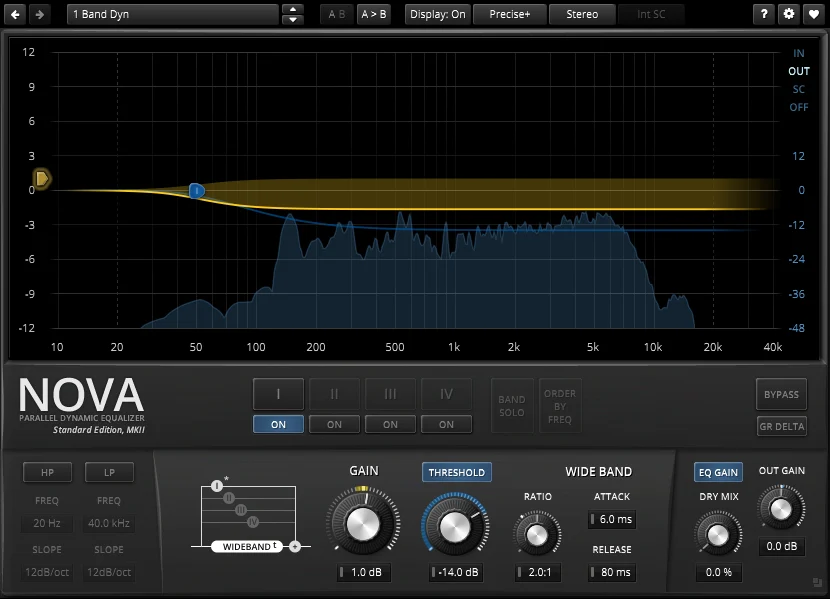
TDR Nova. Image: Tokyo Dawn Labs 06TDR Novaby Tokyo Dawn Labs
Parallel dynamic equaliserBest for: Free, targeted sidechain EQ
Nova is the best free dynamic EQ, and with an external sidechain it does unmasking by hand: set a band on the frequency two parts fight over, key it from the one that should win, and it cuts only while that part plays. Four bands, plus filters and a wideband compressor, is enough for the two or three clashes that matter in most mixes.
Why pick it
- Free
- Exact control of each cut
Know first
- Every band is set by hand
- Shows no picture of the other track
Free · The paid Gentleman's Edition adds more
Tokyo Dawn Labs's page for TDR Nova (opens in a new tab)
Also worth knowing
iZotope Neutron has two unmasking features: a masking meter in its equaliser that uses inter-plugin communication to show where one track clashes with another running Neutron, and an Unmask module that dynamically cuts a track where it masks its sidechain. If you already mix with Neutron, they are worth learning before buying anything else.
Your DAW can also do the essential trick with what it already has: almost every DAW’s multiband compressor or dynamic EQ accepts a sidechain, so one band keyed from the vocal on the guitar bus is a free spectral duck. Keep it to the two or three clashes that matter, and use an analyser that can overlay two tracks to find them. Our free analyser roundup covers the options.
Which to choose
- You want to see the problem first: Soap, free, or Pro-Q 4 if you already own it and run it on every track.
- You want one knob that works now: Trackspacer, or Soap’s Wash in Mirror mode.
- You want only the overlap removed: Soap in Rinse, or a dynamic EQ band keyed by hand.
- You want a dense session balanced for you: smart:EQ 4’s group view.
- You want it invisible on vocals: soothe3’s sidechain.
Questions
What is an unmasking plugin?
A plugin that finds where two tracks hide each other by sharing frequencies, and clears the clash: by showing you where it is, by cutting one track's spectrum out of another as the music plays, or by balancing a group of tracks against each other automatically.
What is the best free alternative to Trackspacer?
Soap's Wash in Mirror mode does the same job, cutting the sidechain's shape out of the track it sits on, and its Rinse mode cuts only where the two really clash. TDR Nova, a free dynamic EQ with an external sidechain, does targeted ducking by hand.
Do I need an unmasking plugin to fix masking?
No. Arrangement, level, panning and a few static EQ cuts fix most masking. Unmasking plugins help with what is left: parts that must share a range, such as a vocal over a dense track, where a cut that moves with the music keeps both full.
Which unmasking plugins work without sidechain routing?
Tools whose instances talk to each other: smart:EQ 4's groups, Pro-Q 4's instance list, Neutron's masking meter, and Soap with Link. Each only hears tracks running the same plugin, and some fully sandboxed hosts stop instances communicating.