Support
Help, from install to sound.
Everything about installing, activating and moving Forge. If something here does not answer it, write to us and a person will.
Install
On a Mac, open the installer and choose the formats you want. Windows does not have an installer yet: its download is a zip, and you copy the plugin into your plugin folder yourself, as below.
Install Forge on Windows by hand
CrystalKarat-Forge-<version>-Windows.zip
- 1UnzipRight-click the zip and choose Extract All. Inside is a VST3 folder holding Forge.vst3.
- 2CopyCopy Forge.vst3 (it is a folder) into the VST3 folder below, where every host looks. Windows asks for administrator permission; choose Continue. If an earlier Forge is there, replace it.
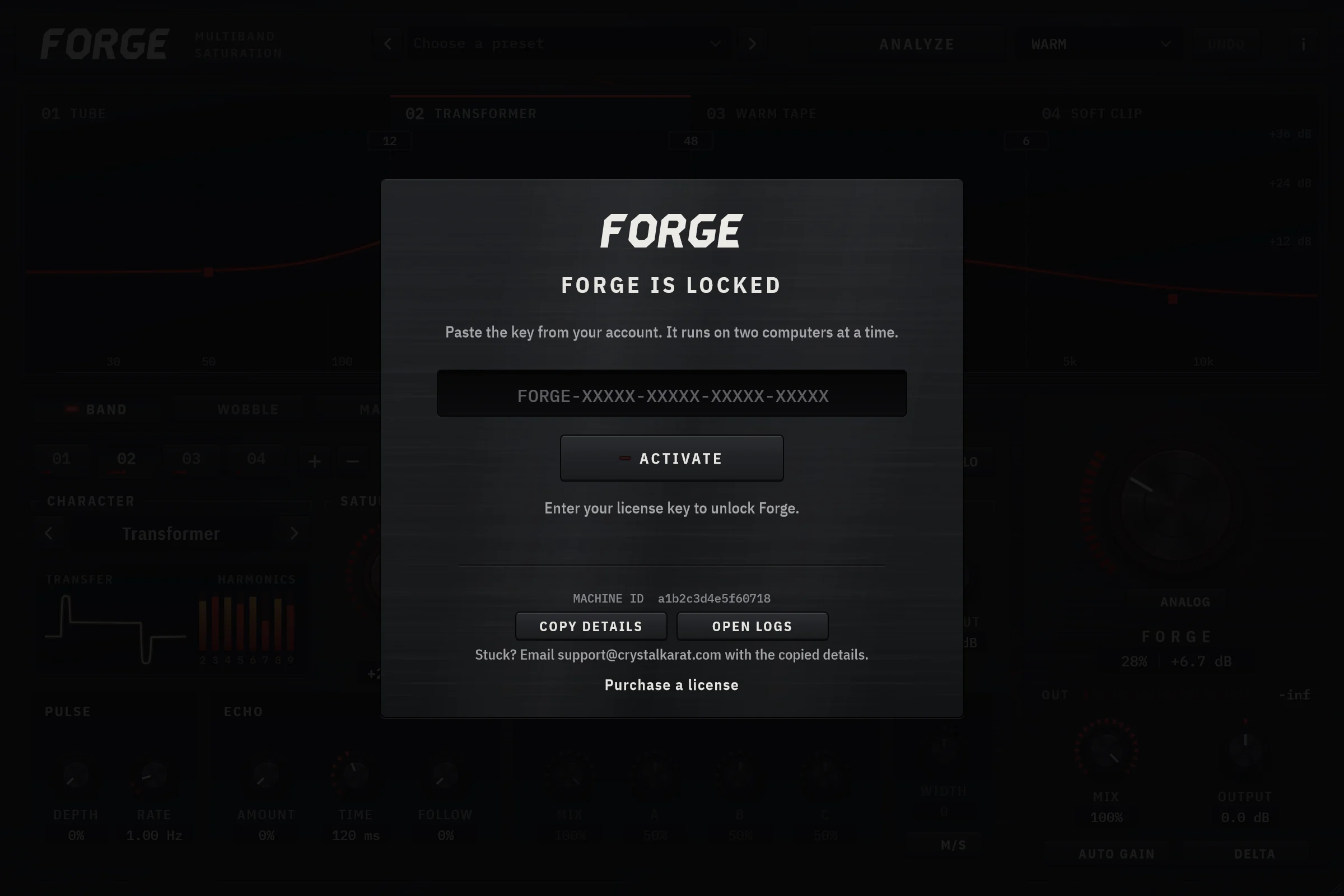
C:\Program Files\Common Files\VST3 - 3OpenRestart your DAW or rescan plugins, then load Forge on a track. It opens on its activation card: paste your license key and press Activate.
Install Forge on macOS
CrystalKarat-Forge-Setup-<version>.pkg
- 1Open the installerDownload the installer from your account and double-click the .pkg. It is signed and notarised by Apple, so macOS opens it without asking you to bypass anything. Forge runs natively on Apple silicon and Intel.
- 2Choose your formatsOn the Installation Type step, leave VST3 and Audio Unit (AU) ticked, or untick the one you do not need. Logic Pro and GarageBand need the AU; most other hosts load the VST3. The VST3 goes into the first folder below (the Location menu lets you pick another), and the AU into the second, the only folder macOS loads Audio Units from.
/Library/Audio/Plug-Ins/VST3/Library/Audio/Plug-Ins/Components - 3InstallPress Install and enter your Mac's password when it asks.
- 4OpenRestart your DAW, then load Forge on a track and paste your license key into its activation card. If Logic does not list Forge, log out and back in so macOS registers the new Audio Unit.
Downloads are in your account, always the newest version for each platform.
Activate
- 01InstallOn a Mac, open the installer and choose VST3, Audio Unit (AU) or both. On Windows, copy Forge into your VST3 folder by following the steps beside the download.
- 02OpenRescan plugins in your DAW if it asks, then load Forge on a track. It opens on its activation card.
- 03ActivatePaste your key and press Activate. That machine is licensed, and Forge works offline from then on.
Troubleshooting
- Forge does not appear in my DAW
- Check the host is scanning the folder above for the format it uses (VST3 on Windows and macOS, Audio Units on macOS only), then rescan. On a Mac, make sure the format your host loads was ticked in the installer: Logic Pro and GarageBand need the AU. Pro Tools (AAX) cannot load Forge yet.
- Activation fails
- Activation needs an internet connection once. Check the key has no stray spaces (copy it from your account), and that the license is not already active on two other computers; deactivate one of them first.
- Forge went quiet and shows its activation card
- Without a valid activation Forge plays for 30 seconds per session and then silences, and it will not save its state. If you were activated before, let it go online once: the activation renews itself in the background, but needs the license server at least once every 30 days. If you were on the trial, it has ended; buying Forge or subscribing brings it back with the same key.
- Moving from the trial to a purchase or subscription
- Nothing to change: your account keeps one key per plugin, so the trial key becomes your purchased or subscribed key. Forge picks it up the next time it loads online, or at once if you paste the key into its activation card again.
- My old computer is gone
- Deactivate it from your account, where each computer is listed by name and Machine ID. The seat is free immediately. A license can move to three new computers within 30 days; if Forge says it has moved too often, write to us.
- Forge says my computer's clock is behind
- Forge remembers when it last ran, so a clock set earlier than that stops it working offline. Set the correct date and time, or let Forge go online once: a renewed activation unlocks it straight away.
- Forge asks me to activate again on the same computer
- A firmware (BIOS) update, or a new motherboard or processor, can give a computer a new Machine ID, and Forge then treats it as a new computer. Paste your key again. If it says the license is already active on two computers, open your account: the computer is listed twice, so deactivate the entry whose Machine ID differs from the one on Forge's activation card, then activate.
- Where are my presets?
- Your own presets are plain XML files in Documents/CrystalKarat/Forge, so they are easy to back up or move to another computer.
- Sending us a diagnostic log
- Forge's About panel has an Open Logs button. Attach the newest log when you write, along with the version and Machine ID shown on the same panel.
Questions
Which DAWs does Forge work in?
Any host that loads VST3 plugins on Windows 10 or later (64-bit) or macOS 10.13 or later, on Apple silicon or Intel. On macOS Forge also installs as an Audio Unit, so Logic Pro and GarageBand can load it. Pro Tools needs AAX, which Forge does not ship yet.
How does activation work?
Open Forge, paste your key into its activation card and press Activate. That registers the machine once. From then on Forge checks a signed activation file on your computer, so it opens sessions without a connection. It renews that file in the background when you are online, and needs to reach the license server at least once every 30 days.
How many computers can I use it on?
Two at a time, say a studio desktop and a laptop. To move Forge to a third, deactivate it on one of them from the plugin's About panel, or from your account if that computer is gone, then activate it on the new one.
Why do I need an account?
Your CrystalKarat account holds your license key, the computers it is active on and the installers, so nothing gets lost in an inbox. It is created as part of checkout, or when you start a trial.
Can I get a refund?
Forge is supplied the moment you pay, so at checkout you ask for it to be supplied immediately and acknowledge that this ends the 14-day cancellation period that otherwise applies to online purchases. That means no refunds for a change of mind. Your statutory rights are unaffected: if Forge is faulty or not as described, you are entitled to a repair or a replacement, or if that is not possible, a price reduction or a refund. The free trial is there so you can check Forge on your own system first.
What does Analyze change, and can I take it back?
It lays out the bands: how many, every crossover and its slope, with no band left muted or soloed. With a character picked it also voices them: each band's character, drive, bias, dynamics, tone, clip, mix and output, the oversampling, and the master output that matches the result to the loudness of what went in. It returns the FORGE knob to zero, so you push on from the calibrated point. Echoes, pulse, inserts, width, Wobble, the global Mix and the master filters and compressor are never touched. Pick another character and it re-voices the same four seconds without playing them again; Undo puts back everything Analyze changed, in one step. Bands Only does the layout and nothing else.
Does Forge model specific hardware?
No. Its characters are voiced after tape, tube, transformer and amp circuits rather than modelled on particular units. Transformer and Warm Tape include a flux model so bass saturates first, as real iron does, but there is no tape transport or hysteresis model. The Analog deck is voiced the same way: its hiss, hum, crackle and wear are generated, not recorded from or modelled on particular gear, and its flutter is a moving delay, not a model of a tape machine.
Does the Analog deck add latency?
Only Flutter, and only while it is up. It bends the pitch with a delay of up to 6 ms that keeps moving, and a DAW can only compensate a delay that holds still, so a fluttered track can sit slightly behind, or comb against, a parallel copy of itself. That is why Flutter starts at zero. The rest of the deck adds no delay, and with ANALOG off the deck changes nothing at all.
Is there a trial?
Yes: 7 days of the full plugin, free, with no card. Start it here and your trial key and the installers are ready at once. When it ends Forge goes quiet until you buy it or subscribe, and nothing is charged. There is one trial per account and per computer.
Still stuck?
Write to us with your order email, the Forge version and the Machine ID from its About panel, and what you were doing when it went wrong.
support@crystalkarat.com