Parallel saturation: thickness without losing the punch
Why blending a saturated copy keeps transients, when a mix knob beats an aux bus, and parallel saturation settings for drums, vocals, bass and the mix bus.
By CrystalKarat9 min read
Drive a drum bus hard enough to sound thick and the transients flatten. Back it off and the thickness goes too. Parallel saturation is the way out: distort a copy, keep the original, and blend. It is one of the oldest tricks in mixing, and one of the easiest to get subtly wrong. This guide covers why it works, when the mix knob beats an aux bus, a four-step setup, and recipes for drums, vocals, bass and the mix bus.
What parallel saturation is
Parallel saturation means blending a saturated signal with the dry signal, instead of replacing the dry signal with the saturated one. It is done either with the plugin’s own Mix (or Dry/Wet) control, or by sending the track to an aux bus with the saturator on it and mixing the two faders.
It is a close cousin of parallel compression, and for good reason: driving a signal into a curve squashes its peaks, so saturation is a kind of compression too (our saturation explainer shows why). Parallel saturation gives you that density and the harmonics together.
Why it keeps the punch
A saturator works hardest on peaks, so the first thing it takes is the transient: the crack of a snare, the click of a kick, the consonant at the start of a word. The quiet part of the sound, the body and the tail, passes through nearly untouched.
Blend the two and each does the job it is good at. The dry signal brings the transients intact. The saturated signal, heavily driven and therefore dense and steady, adds harmonics and sustain underneath. The result is thicker and louder in the body without being softer at the front, which an insert saturator can’t give you at the same drive.
Mix knob or aux bus?
Your DAW compensates for plugin latency on sends, so timing is rarely the problem. Phase is. Anything in the saturator that filters shifts the phase of the wet signal relative to the dry: a multiband crossover, a tone or tilt control, minimum-phase oversampling filters. When the two are summed, frequencies where they disagree partly cancel, which sounds hollow or phasey.
| Saturator | Aux bus | Mix knob |
|---|---|---|
| Single band, no filtering | Fine | Fine |
| Single band, with tone controls or minimum-phase oversampling | Can comb in the top octave | Fine if the plugin delays and phase-matches its dry path |
| Multiband | Combs around the crossovers | The only clean option, if the dry path is phase-matched |
An aux bus is still useful when you want to process the wet signal further, or feed several tracks into one saturator. When you do, use a single-band saturator with no filtering on it, and filter the bus afterwards with a linear-phase EQ if needed.
Setting it up in four steps
- Set the wet sound on its own. Mix at 100% (or the dry fader down). Drive harder than you would on an insert: the wet signal should sound too much on its own.
- Shape it. High-pass the wet sound to keep the low end tight, low-pass it to keep cymbals and sibilance out. Saturation on the extremes is what usually makes a blend sound cheap.
- Blend it in. Bring the mix down to zero, then up until you notice it, then back a little. On most sources that is 10 to 40%.
- Level-match and bypass. The blend is louder than the dry track. Match the levels before you judge it, or louder will always sound better.
Recipes: drums, vocals, bass and the mix bus
Drum bus
Soft distortion or hot tape, driven hard, blended at 20 to 40%. High-pass the wet sound at around 100 to 150 Hz if the kick goes flabby, and low-pass it at 8 to 10 kHz to keep the cymbals clean. For the New York sound, compress the wet signal hard as well, before or after the curve: the saturated copy then sits at a nearly constant level under the kit and fills every gap.
Vocals
Tube or amp, blended at 10 to 25%. Band-limit the wet sound to roughly 300 Hz to 5 kHz so it adds presence and grit without boxiness or extra sibilance, and de-ess before the saturator, because it makes esses louder. Our vocal saturation guide goes further.
Bass and 808s
Saturate a copy and keep the clean sub: blend, or high-pass the wet sound at 80 to 120 Hz so only the harmonics are added. This is the most common way to make bass audible on small speakers, and our 808 guide covers it in detail.
Mix bus
Parallel is less useful here than on single tracks, because the whole point on a mix bus is a gentle, even density. If you use it, keep the wet signal subtle and the blend low, and check the low end in mono.
Five mistakes to avoid
- Blending a multiband saturator on a send. The crossovers’ phase shift combs against the dry signal. Use the plugin’s own Mix.
- Not driving the wet signal hard enough. A lightly driven wet signal blended at 30% is just a slightly louder dry signal. Parallel works because the wet sound is extreme.
- Leaving the wet sound full range. Distorted sub and distorted cymbals are the first things that make a blend sound bad.
- Judging louder as better. Level-match every comparison.
- Automating the drive instead of the blend. Changing drive changes tone and level at once. For a section that needs more, automate the mix.
Plugins for parallel saturation
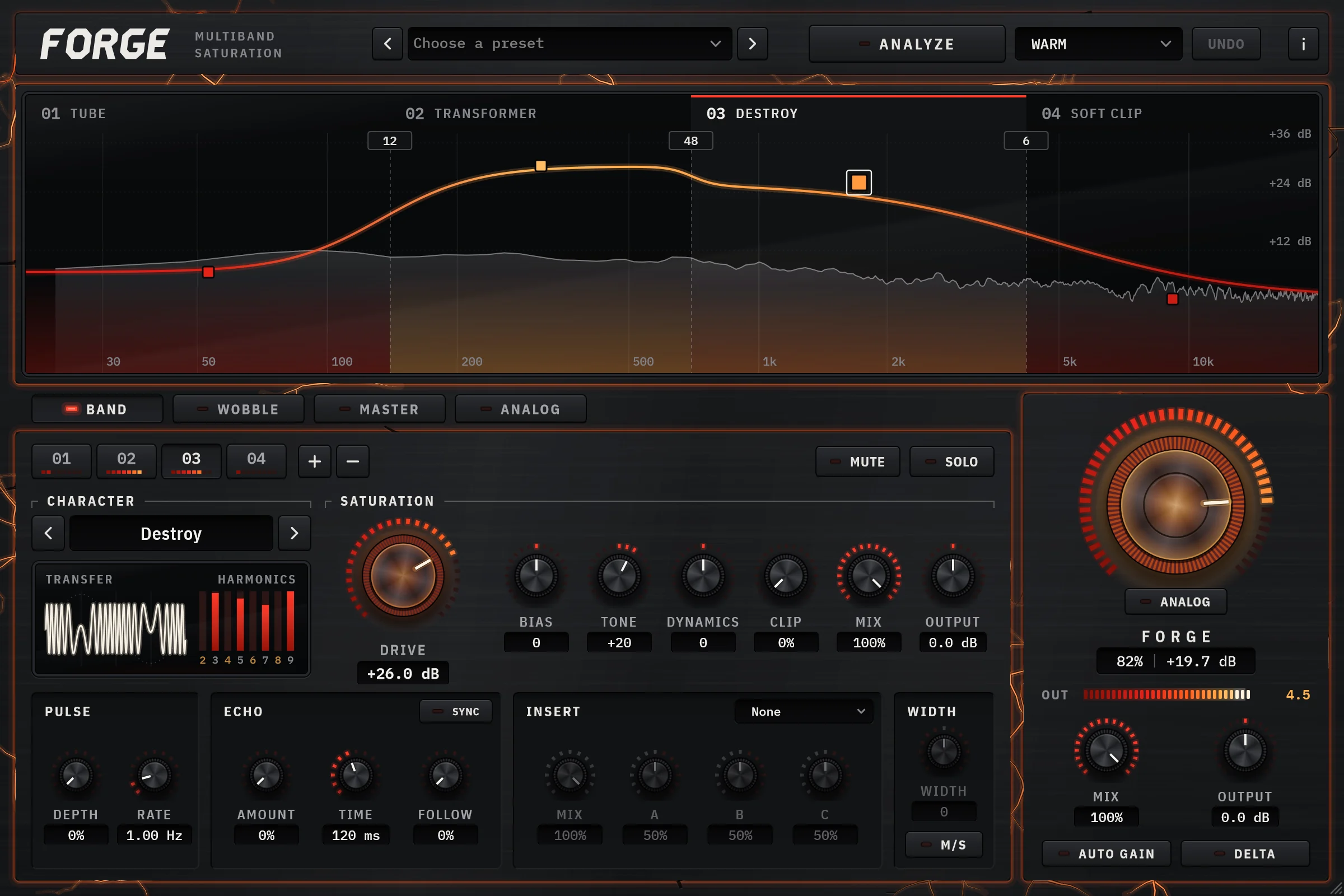
01Forgeby CrystalKarat
Multiband saturatorBest for: Parallel blends that don’t comb, globally or band by band
Forge has a Mix on every band as well as a global Mix, and its dry signal is run through the same phase shifts as the bands, so blending never combs: each release is measured to stay within 0.1 dB from 100 Hz to 20 kHz at a 50% blend. That lets you do what a send can’t: smash the low-mids of a drum bus at 30% while the top band runs at 100% clean tape.
Every band also has dynamics before its shaper and a compressor among its inserts, so the New York-style recipe below is one plugin. The factory Parallel Smash preset is that recipe: two bands of soft distortion, each crushed by its own compressor and blended 40% under the dry kit. Delta plays only what the saturation adds, so you can set the wet sound on its own before blending it in.
Why pick it
- Per-band Mix as well as global Mix
- Phase-matched dry path: no combing at any blend
- Compressor inside every band for New York-style smash
- Delta to hear only the wet contribution
Know first
- No AAX for Pro Tools yet
- Its curves are voiced, not hardware models
- Price
- $49 once, or by subscription · 7-day trial, no card
- Formats
- Windows VST3 · macOS VST3 and AU
Forge is ours: CrystalKarat makes it and publishes this blog. Everything else on this list is another company's, and nobody paid to be on it.
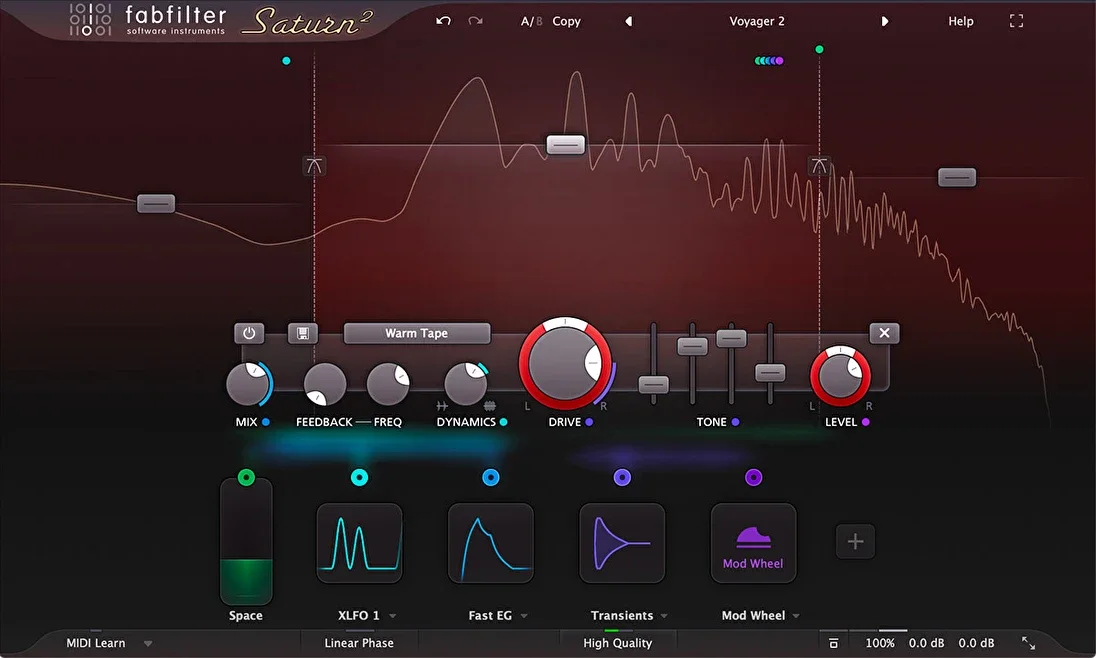
Saturn 2. Image: FabFilter 02Saturn 2by FabFilter
Multiband distortion and saturationBest for: Per-band blends with modulation
Saturn 2 has a mix control on each band and a global one, so it can blend different amounts in different registers, and its modulation can push the drive up with the input level for a parallel sound that breathes with the track.
Why pick it
- Per-band and global mix
- Envelope-driven modulation
Know first
- Every band and level is set by hand
Mid-price · Also sold in FabFilter's bundles
FabFilter's page for Saturn 2 (opens in a new tab)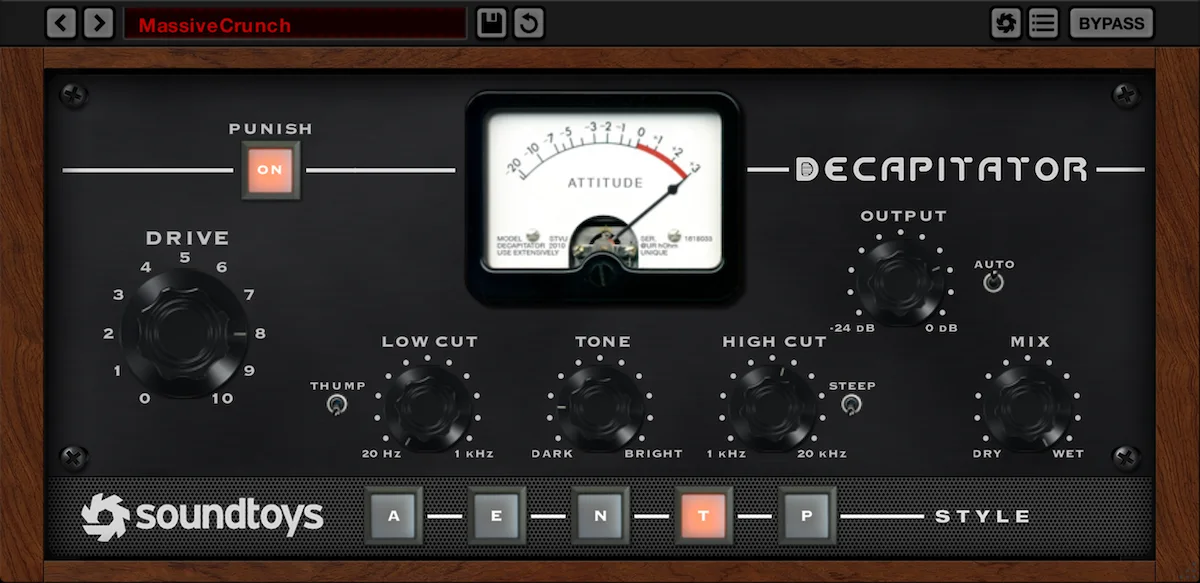
Decapitator. Image: Soundtoys 03Decapitatorby Soundtoys
Analog saturation modelerBest for: One knob from subtle to smashed
Decapitator is a parallel-saturation favourite because its Mix and Punish work together: Punish adds 20 dB of drive, and Mix brings it back down to taste. Low and high cut on the saturated signal shape the wet sound before it is blended.
Why pick it
- Mix, low cut and high cut built in
- Five distinct styles
Know first
- Single band
Premium · Regularly discounted; part of Soundtoys 5
Soundtoys's page for Decapitator (opens in a new tab)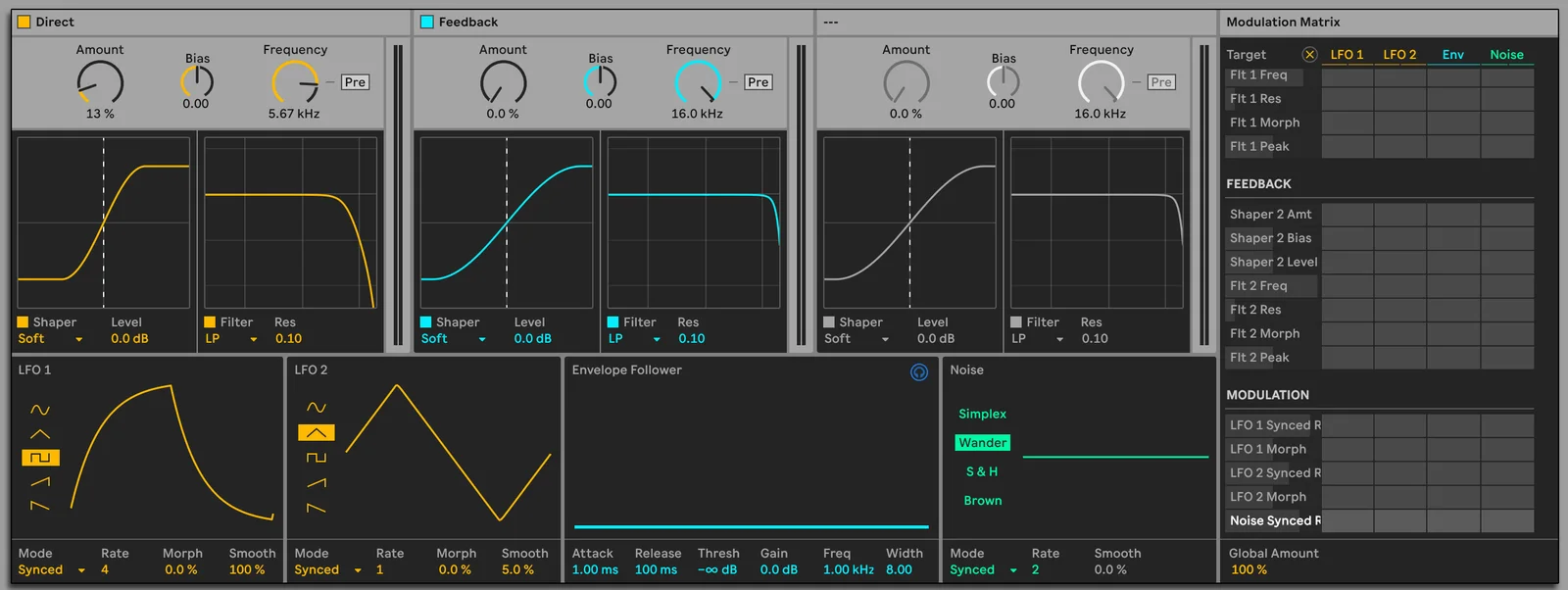
Roar. Image: Ableton Live 12 manual 04Roarby Ableton
Saturation and distortion deviceBest for: Ableton Live 12 Suite users
Roar’s Dry/Wet blends in parallel inside the device, and its Parallel routing runs two shapers side by side, so it covers most of these recipes without leaving Live.
Why pick it
- Nothing to buy if you have Suite
- Parallel routing and Dry/Wet
Know first
- Live only
Part of a suite or DAW · Ships with Live 12 Suite
Ableton's page for Roar (opens in a new tab)
Questions
What is parallel saturation?
Blending a saturated copy of a signal with the dry signal, rather than replacing it. The dry signal keeps the transients and the heavily driven copy adds harmonics and density underneath. It is done with a plugin's Mix control or with an aux bus.
Is it better to use the mix knob or an aux bus for parallel saturation?
The mix knob, whenever the saturator filters anything: multiband crossovers, tone controls and minimum-phase oversampling shift the wet signal's phase, which combs against a dry signal on another channel. A plugin that phase-matches its dry path avoids that. A single-band saturator with no filtering works fine on a send.
How much parallel saturation should I use?
Drive the wet signal harder than you would on an insert, then blend it in at around 10 to 40%: roughly 20 to 40% on a drum bus, 10 to 25% on vocals. Level-match before comparing with the dry track.
Should I filter the saturated signal in parallel saturation?
Usually. High-passing the wet signal keeps the low end tight and the sub clean, and low-passing it keeps cymbals and sibilance from turning harsh. Filter after the saturator so the harmonics of the low notes are still created.