The best multiband saturation plugins, and when you need one
Multiband saturators compared on what matters: crossovers that sum flat, a dry path that lines up, character per band, honest level. Free options too.
By CrystalKarat13 min read
A single-band saturator lets the loudest part of the signal decide how hard everything is driven, and in almost all music the loudest part is the bass. Multiband saturation splits the signal first, so you can thicken the low-mids, leave the sub alone, add sheen to the top, and choose a different character for each. Done well it is the most precise colour you can add to a mix. Done badly it smears transients and combs when you blend it. Here is what makes the difference, and the plugins that get it right.
Quick picks
- 01ForgeCrystalKaratMultiband saturation that sets itself up from your audio and sums flat$49
- 02Saturn 2FabFilterMaximum control, and saturation that movesMid-price
- 03TrashiZotopeMultiband sound design with distortion and impulse responsesMid-price
- 04bx_saturator V2BrainworxMid/Side multiband saturation for masteringMid-price
- 05Ozone ExciteriZotopeMultiband excitement inside an Ozone mastering chainPart of a suite or DAW
- 06SpectreWavesfactorySaturating a frequency rather than a bandMid-price
- 07ThermalOutputPerformable multi-stage distortionMid-price
- 08MultipassKiloheartsBuilding your own multiband chain from modulesMid-price
- 09MSaturatorMBMeldaProductionBudget multiband saturation with deep optionsBudget
Why split saturation into bands
Distortion is not polite about frequency. Push a chord through one curve and every note drives every other note: alongside the harmonics, the curve creates sum and difference tones (intermodulation) that sit between and below the notes and belong to none of them. The more notes and the harder the drive, the more of them pile up. Craig Anderton’s Quadrafuzz design in the 1980s split guitar into four bands for exactly this reason, and Steinberg’s Cubase plugin still carries the name.
Splitting into bands helps in three ways:
- Less intermodulation. Each band carries fewer notes, so fewer sum-and-difference products form.
- The bass stops driving everything. In one band, every kick and bass note pushes the vocal and the cymbals into the curve with it. Split, each band responds to its own level.
- Different characters in different registers. Iron on the lows, valve on the mids, clean tape on the air, nothing at all on the sub.
It has costs too. Crossovers shift phase, the harmonics each band creates spill into its neighbours, and every extra band is another decision. Which is why the details below matter more than the number of styles on the box.
What separates a good multiband saturator
Crossovers that sum flat
With every band at zero drive, a multiband plugin should be a wire. Linkwitz-Riley crossovers, the usual choice from 12 dB per octave up, sum flat in level but rotate the phase around each crossover frequency. With more than two bands that rotation differs from band to band unless the plugin compensates, which is why a careless multiband can dent the frequency response or blur transients before any saturation happens. Linear-phase crossovers avoid the rotation at the cost of latency and some pre-ringing on transients.
A dry path that lines up
Parallel saturation is the most useful way to use any of these plugins, and it only works if the dry signal arrives with the same phase as the wet. Matching the latency isn’t enough: the dry path has to go through the same crossover phase shifts and oversampling filters. Turn the Mix knob to 50% on a bright source with the drive near zero. If you hear a hollow, phasey change, the dry path is not matched.
Slopes per crossover
Gentle slopes (6 to 12 dB per octave) blend bands smoothly for tonal colour; steep ones (24 to 48) isolate a band, which you want where a register must stay clean, such as below the bass fundamental. The best plugins let each crossover have its own slope.
Level that you can trust
Every band you drive gets louder, and a louder result always sounds better at first. Look for per-band output trims, an auto-gain option, and a delta mode that plays only what the saturation adds, so you can hear its contribution on its own.
Oversampling, honestly reported
Harder curves on brighter bands alias. Oversampling cures it, and costs latency, which the plugin must report to your DAW at every setting or parallel tracks drift out of time. Minimum-phase oversampling filters add the least latency; linear-phase ones keep the phase at the top of the spectrum untouched.
The best multiband saturators
01Forgeby CrystalKarat
Multiband saturatorBest for: Multiband saturation that sets itself up from your audio and sums flat
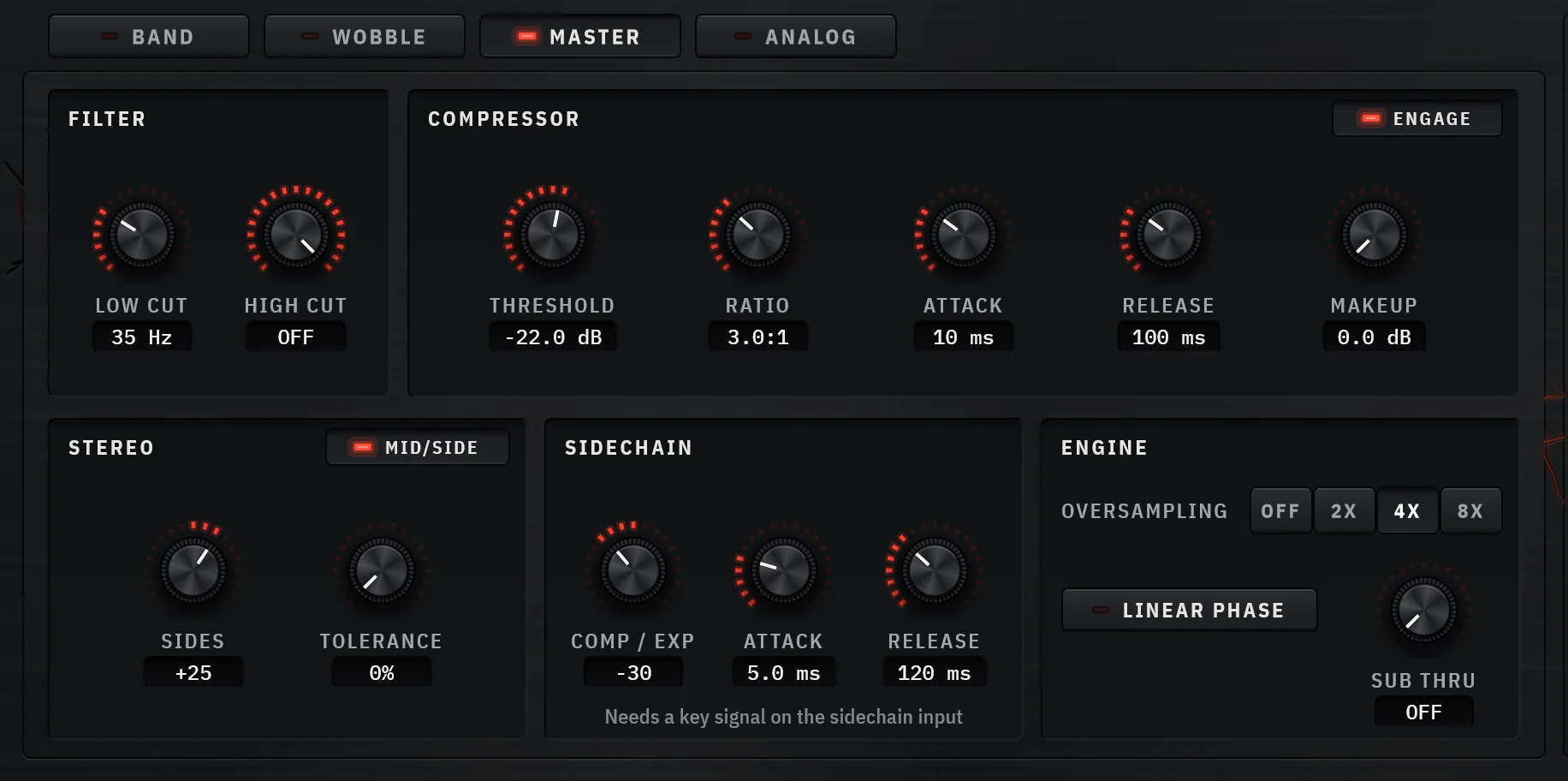
The hard part of multiband saturation is the setup: how many bands, where the crossovers go, how steep they are, and how much drive each band can take before it sounds worse. Forge’s Analyze does that first pass from four seconds of your own audio. It puts a band on every register the material reaches (a vocal gets no sub band, a full mix gets six), moves each crossover into a valley of the spectrum so no kick or bass note is split in two, and gives a deep valley a steeper slope. Then it calibrates each band’s drive to the distortion your chosen target calls for, renders every band back to its own level, and matches the whole to the loudness of what went in. Choose a different target and it re-voices the same four seconds without replaying; Undo puts everything back in one step.
Underneath is the plumbing that decides whether multiband saturation sounds clean. Every later crossover’s all-pass is applied to the earlier bands, so the split sums flat at any slope on any crossover. The dry signal runs through the same oversampler and all-pass as the bands, so the Mix knob blends without combing (each release is measured to stay within 0.1 dB from 100 Hz to 20 kHz at a 50% blend). A sub passthrough keeps everything below a frequency you choose bone dry and phase-aligned. And each band gets the full chain: any of ten characters, bias, dynamics, clip, tone, an echo, one of seven insert effects, and its own slice of an external sidechain.
Why pick it
- Analyze places and calibrates the bands from your own material, then level-matches
- Flat-summing crossovers at 6, 12, 24 or 48 dB/oct, and a phase-matched dry path
- Ten characters and an insert effect in every band
- Band-by-band sidechain, Mid/Side, and per-band width
Know first
- No AAX, so no Pro Tools yet
- Six bands at most, the same as Saturn 2
- Its modulation (Wobble) is pattern-based, with no envelope follower or MIDI source to route
- Price
- $49 once, or by subscription · 7-day trial, no card
- Formats
- Windows VST3 · macOS VST3 and AU
Forge is ours: CrystalKarat makes it and publishes this blog. Everything else on this list is another company's, and nobody paid to be on it.
02Saturn 2by FabFilter
Multiband distortion and saturationBest for: Maximum control, and saturation that moves
Saturn 2 set the standard for the category and still holds it for depth. Up to six bands, crossovers at 6, 12, 24, 36 or 48 dB per octave with an optional linear-phase mode, 28 styles across tape, tube, transformer, amp and effects, and per-band drive, feedback, dynamics, tone and Mid/Side. Its modulation system is the reason to choose it: drag an XLFO, an envelope follower, an XY controller or a MIDI source onto any parameter of any band. Where Forge gives you a calibrated starting point, Saturn gives you a blank canvas and every brush.
Why pick it
- The deepest modulation of any multiband saturator
- Linear-phase crossover option
- Every format, including CLAP and AAX
Know first
- No automatic band placement or drive calibration
- The blank canvas takes time to fill well
Mid-price · Also sold in FabFilter's bundles
FabFilter's page for Saturn 2 (opens in a new tab)03Trashby iZotope
Multiband distortion and convolutionBest for: Multiband sound design with distortion and impulse responses
The 2024 rebuild of Trash works across one, two or three bands, each with its own Trash module (a blend pad between distortion types) and Convolve module for impulse responses, with over 600 distortion types and IRs between them. An envelope follower and oversampling round it out. It is more of a sound-design instrument than a mix saturator, and it is excellent at that.
Why pick it
- Huge palette of distortions and impulse responses
- Convolution per band is unique in this list
- Trash Lite gives you the core module free
Know first
- Three bands at most
- Settings can’t be copied between bands, and the rebuild dropped Trash 2’s delay and dynamics
Mid-price · Trash Lite, a single-band version, is free
iZotope's page for Trash (opens in a new tab)04bx_saturator V2by Brainworx
Multiband Mid/Side saturationBest for: Mid/Side multiband saturation for mastering
bx_saturator V2 is built around Mid/Side: it saturates the middle and the sides of a mix independently, across bands, with Brainworx’s crossover keeping Mid and Side in phase. A Mono Maker sums the lowest frequencies so you can widen and drive the rest without the low end wandering. It is a specialist, and in mastering it is a very good one.
Why pick it
- Mid/Side design suited to finished mixes
- Mono Maker for a solid low end
- Included in Plugin Alliance’s subscriptions
Know first
- Narrower palette than the general-purpose tools
- Mastering-first interface
Mid-price · Sold by Plugin Alliance, often discounted; in its subscriptions
Brainworx's page for bx_saturator V2 (opens in a new tab)05Ozone Exciterby iZotope
Multiband harmonic exciterBest for: Multiband excitement inside an Ozone mastering chain
The Exciter module in Ozone splits into up to four bands with adjustable crossovers, each with its own saturation mode (Tube, Retro, Tape, Triode and Dual Triode), amount and mix, plus a global oversampling switch. If you already master in Ozone, it is the most convenient multiband saturation you own, and it is subtle enough for finished mixes.
Why pick it
- Four bands with a mode per band
- Sits inside the rest of the Ozone chain
Know first
- Only available as part of Ozone
- Built for polish rather than heavy colour
Part of a suite or DAW · Part of Ozone Standard and Advanced
iZotope's page for Ozone Exciter (opens in a new tab)06Spectreby Wavesfactory
EQ-style multiband enhancerBest for: Saturating a frequency rather than a band
Spectre looks like an EQ because it is one, sideways. It boosts with five parallel bands (a low shelf, three peaks and a high shelf), takes only the boosted part, and saturates that with one of ten algorithms: tube, warm tube, solid, tape, diode, class B, bit, digital, rectify and half rectify. Each band can work on stereo, left, right, mid or side, and 4× or 16× oversampling keeps it clean. It is the most intuitive way to add harmonics around one frequency, such as the snap of a snare or the air on a vocal.
Why pick it
- EQ-style workflow anyone can use
- Per-band channel routing, Mid/Side included
Know first
- Boost-only bands: it adds, it never cuts
- Not designed for heavy distortion
07Thermalby Output
Multi-stage distortionBest for: Performable multi-stage distortion
Thermal stacks three distortion stages, each over its own frequency range that you can set freely between 30 Hz and 22 kHz, overlapping or apart. Each stage has an effect slot, there is a master compressor and filter, and an XY pad moves several distortion parameters at once, which makes it fun to play live or automate. Its ranges overlap rather than split, so think of it as three distortions with filters rather than a classic multiband.
Why pick it
- Playable XY control
- Over 250 presets
- Effects inside each stage
Know first
- Not true crossover bands, so it doesn’t sum like one
- Routing takes a while to understand
Mid-price · Also part of the Output One subscription
Output's page for Thermal (opens in a new tab)08Multipassby Kilohearts
Multiband effect hostBest for: Building your own multiband chain from modules
Multipass splits the signal into up to five bands and lets you build a chain of Kilohearts snapins on each one, distortion among them, plus modulators to move them. It ships with the free Kilohearts Essentials. Nothing is decided for you, which is either the appeal or the problem.
Why pick it
- Any effect in any band
- Modular modulation
Know first
- You assemble everything yourself
- The richer saturation snapins, such as Faturator, cost extra
Mid-price · Also in the Kilohearts subscription
Kilohearts's page for Multipass (opens in a new tab)09MSaturatorMBby MeldaProduction
Multiband saturationBest for: Budget multiband saturation with deep options
MeldaProduction’s multiband saturator brings the company’s usual depth, and its usual dense interface, at a budget price. The single-band MSaturator is free, so you can learn the sound before paying for the bands.
Why pick it
- Low price
- Free single-band version to try
Know first
- Busy interface
- Steeper learning curve than its price suggests
Budget · The single-band MSaturator is free
MeldaProduction's page for MSaturatorMB (opens in a new tab)
Free options, and building your own
Fire is the best free multiband distortion: up to four bands, ten distortion types across soft clipping, hard clipping and foldback, and per-band drive, shape, compressor and stereo width, plus a downsampler and a limiter. It is open source under the AGPL, and the macOS build is unsigned, so the GitHub page explains how to let it open.
Your DAW may already have one: Cubase’s Quadrafuzz v2 distorts up to four bands, and Ableton’s Roar (Live 12 Suite) has a multiband routing mode with a shaper for each of three bands.
You can also build a multiband saturator from any single-band one by splitting the signal in your DAW and saturating each split. Use a proper crossover rather than a low-pass on one channel and a high-pass on another: two filters at the same frequency do not sum flat unless they are designed as a pair. Bitwig’s Multiband FX-3, Reaper’s band-splitter JS effects and Kilohearts’ Multipass all split properly. Expect more latency, more CPU and no phase-matched dry path, so keep the blend inside each saturator rather than across chains.
Starting points for the bands
These ranges are where to start looking, not where to set the crossovers. The right place is the valley in your own material’s spectrum nearest to them, so a crossover never runs through a fundamental.
| Band | Around | What usually works |
|---|---|---|
| Sub | below 60–100 Hz | Leave it clean, or barely touched. Saturating the sub costs headroom and focus. |
| Low | 100–250 Hz | Transformer or tube for weight and harmonics that let bass read on small speakers. |
| Low-mid | 250 Hz–1 kHz | Where mud lives. Light tape for body, or nothing; easy to overdo. |
| Mid | 1–4 kHz | Presence and bite. Tube with bias for even harmonics, or amp for attitude. Your ears are most sensitive here, so drive less than you think. |
| Presence and air | above 4–6 kHz | Clean tape or tube, blended in parallel. Watch sibilance and cymbal wash, and oversample if it fizzes. |
For settings by source, see how to use multiband saturation on drums, bass, vocals and the master. For single-band options, see our saturation roundup. For the maths behind the crossovers, start with Linkwitz–Riley filters (opens in a new tab).
Questions
What is multiband saturation?
Saturation applied separately to frequency bands. The plugin splits the signal with crossovers, saturates each band with its own drive and character, and sums them back together, so you can, for example, thicken the low-mids without distorting the sub or the vocal's top end.
When should I use multiband saturation instead of a normal saturator?
When one part of the spectrum is driving the saturation for everything else, usually the bass on a full mix or a drum bus; when you want different characters in different registers; or when you want harmonics in one range only, such as adding growl to a bass without touching its sub.
What is the best alternative to FabFilter Saturn 2?
Forge is the closest match in scope, with six bands and ten characters per band, and adds automatic band placement and drive calibration with Analyze. iZotope Trash suits sound design, bx_saturator V2 and Ozone's Exciter suit mastering, and Fire is a capable free option.
Does multiband saturation cause phase problems?
Crossovers rotate phase near each crossover frequency. A well-designed plugin compensates so the bands sum flat, and runs its dry signal through the same phase shifts so parallel blending does not comb. Building your own split from ordinary filters in a DAW is where phase problems usually come from.
How many bands do I need?
Three or four cover most mixing jobs: sub, low, mids and top. Five or six help on full mixes and masters, where you may want to treat the low-mids and the presence region on their own. More bands mean more decisions, so add one only when a register needs different treatment from its neighbours.